How to reset your password in the HR Panorama system?
1. Go to the login page
Open your web browser and enter your company's individual address:
companyname.hrpanorama.app (replace "companyname" with the name of your organization).
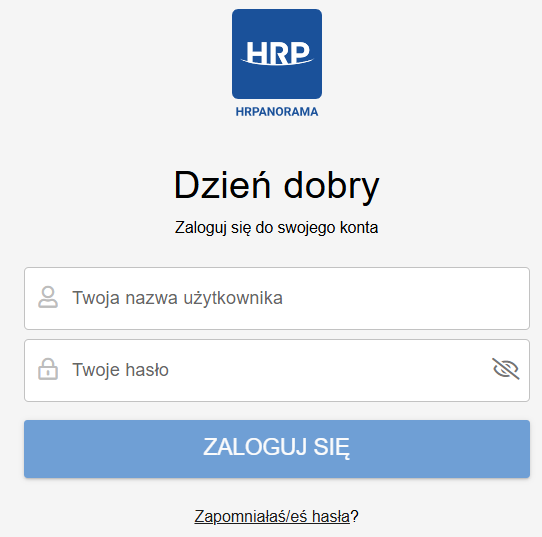
2. Select the "Forgot password?" option
Click the "Forgot password?" link located directly below the login form.
3. Submit a request for a reset link
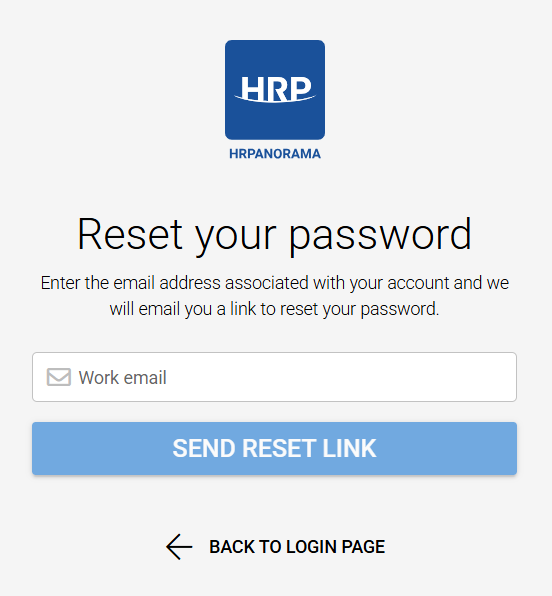
Enter the email address associated with your account and click "Send reset link".
4. Check your inbox and change your password
Check your inbox (and your Spam folder). Open the email containing the password reset link and follow the on-screen instructions to set a new password.
Czy ten artykuł był pomocny?
To wspaniale!
Dziękujemy za opinię
Przepraszamy, że nie udało nam się pomóc!
Dziękujemy za opinię
Wysłano opinię
Doceniamy Twój wysiłek i postaramy się naprawić artykuł