How to change your password in the HR Panorama system?
1. Open your profile
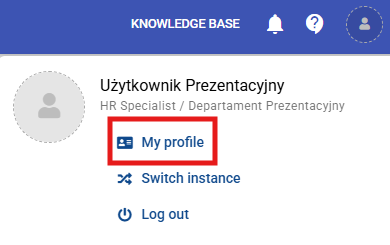
Click your profile icon in the top right corner of the screen and select "My profile".
2. Go to password settings
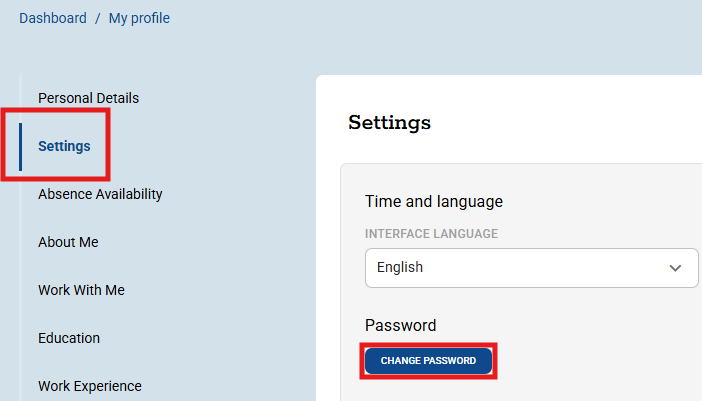
Navigate to the "Settings" tab and click the "Change password" button.
3. Enter your new password
Enter your new password, then enter it again to confirm.

4. Save changes
Click the "Save" button at the very bottom of the page to confirm the change.
Czy ten artykuł był pomocny?
To wspaniale!
Dziękujemy za opinię
Przepraszamy, że nie udało nam się pomóc!
Dziękujemy za opinię
Wysłano opinię
Doceniamy Twój wysiłek i postaramy się naprawić artykuł