How to enable two-factor authentication (2FA) in HR Panorama?
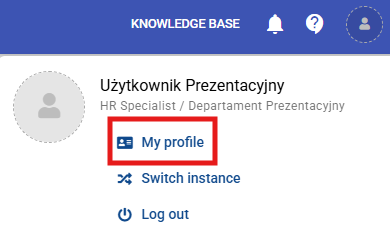
1. Open your profile
Click your profile icon in the top right corner of the screen and select "My profile".
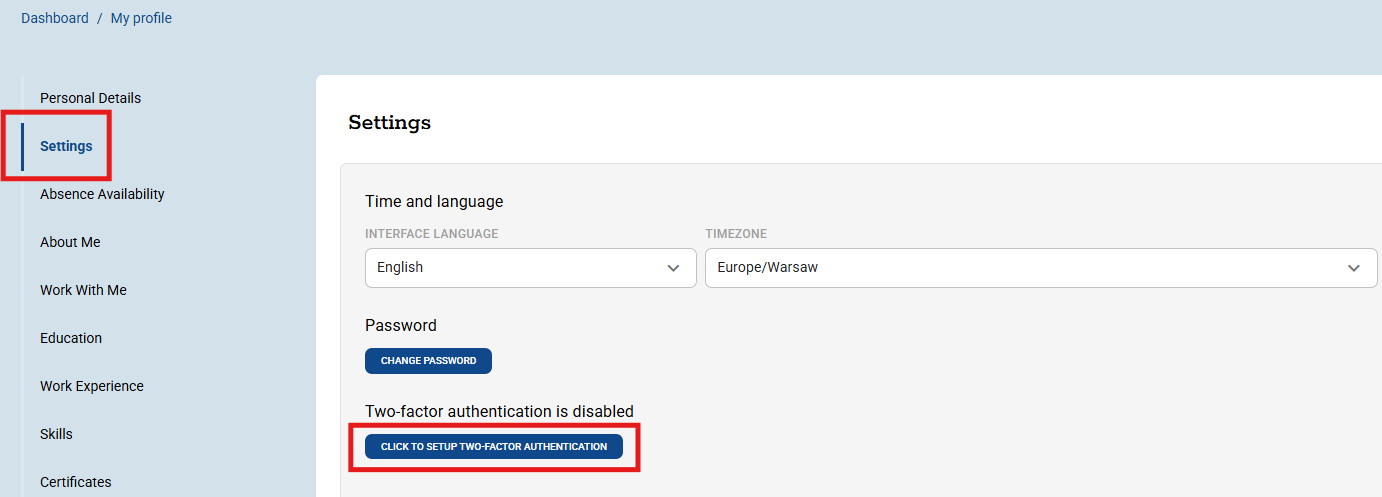
2. Go to 2FA configuration
Open the "Settings" tab, then click the "Click to configure two-factor authentication" button.
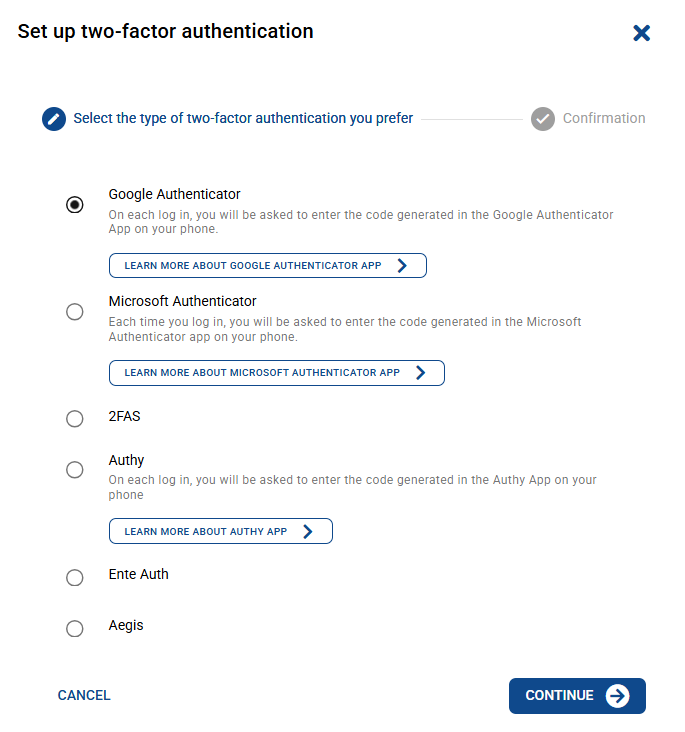
3. Choose a verification method
Select your preferred authorization method from the list and click "Next".
4. Scan the code or enter the key
Scan the displayed QR code using your authenticator app (e.g., Google Authenticator or Microsoft Authenticator) or manually enter the private key, then follow the in-app instructions.
5. Save settings
Click "Save" to confirm and activate two-factor authentication.
Czy ten artykuł był pomocny?
To wspaniale!
Dziękujemy za opinię
Przepraszamy, że nie udało nam się pomóc!
Dziękujemy za opinię
Wysłano opinię
Doceniamy Twój wysiłek i postaramy się naprawić artykuł