How do I add a new currency to the system?
1. Go to the system settings by selecting the settings icon shown in the top right corner of the screen.
Changes to settings affect the entire system and affect the accounts of all its users.

2. In the modules visible on the left side of the panel, select CURRENCIES.
A list of available currencies is displayed. The default currency is selected in the system.
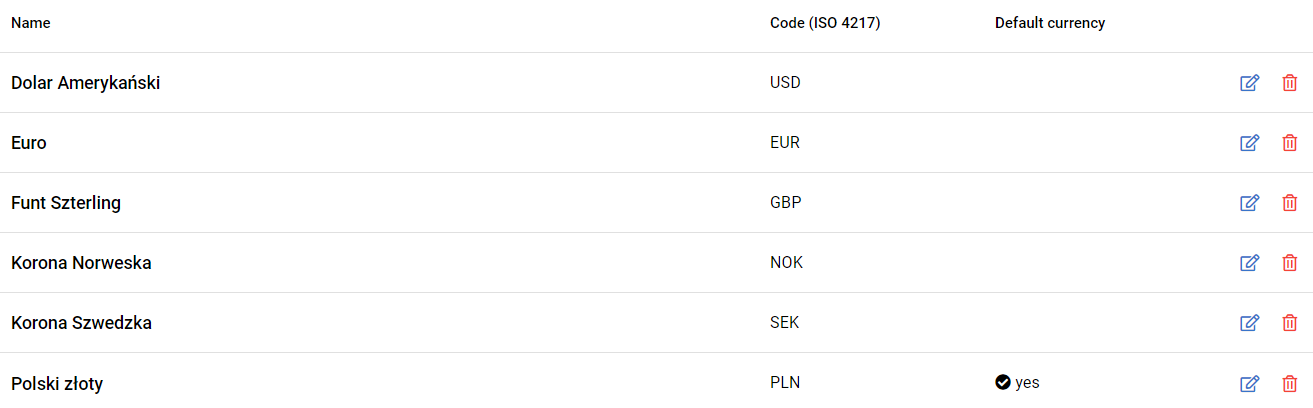
3. To add a new currency, click on the ADD CURRENCY button visible in the top left-hand corner of the panel.

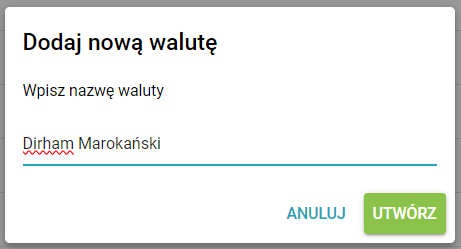
4. Enter a name for the currency and confirm by clicking CREATE.
5. Complete the three-letter currency code adopted by the ISO (4217) and tick the box below if the currency added is to be the default.
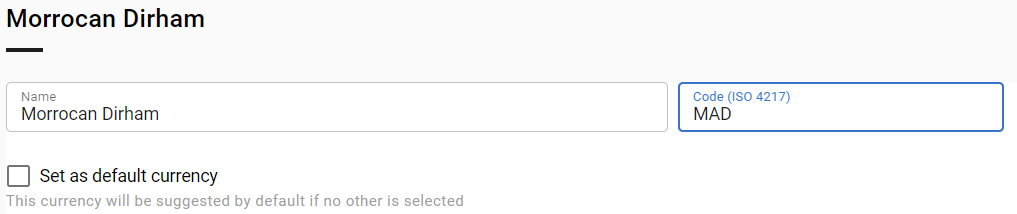
6. Select SAVE to confirm the addition of the new currency.
Czy ten artykuł był pomocny?
To wspaniale!
Dziękujemy za opinię
Przepraszamy, że nie udało nam się pomóc!
Dziękujemy za opinię
Wysłano opinię
Doceniamy Twój wysiłek i postaramy się naprawić artykuł