How do I add work experience to your profile?
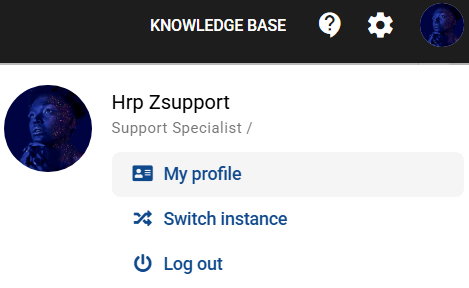
1. Click on your profile icon visible in the top right-hand corner of the screen and select "My Profile".
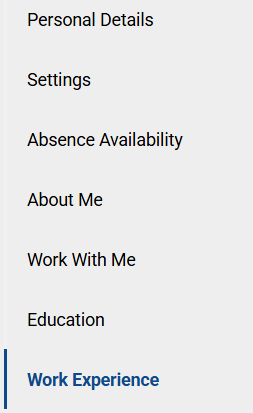
2. Under the PROFESSIONAL EXPERIENCE tab, click on the NEW ENTRY button.
3. Complete the experience information: job title, form of employment, company name, location, job description, start and end dates.
If you are still working in the position, tick the "I still work for this company" checkbox.
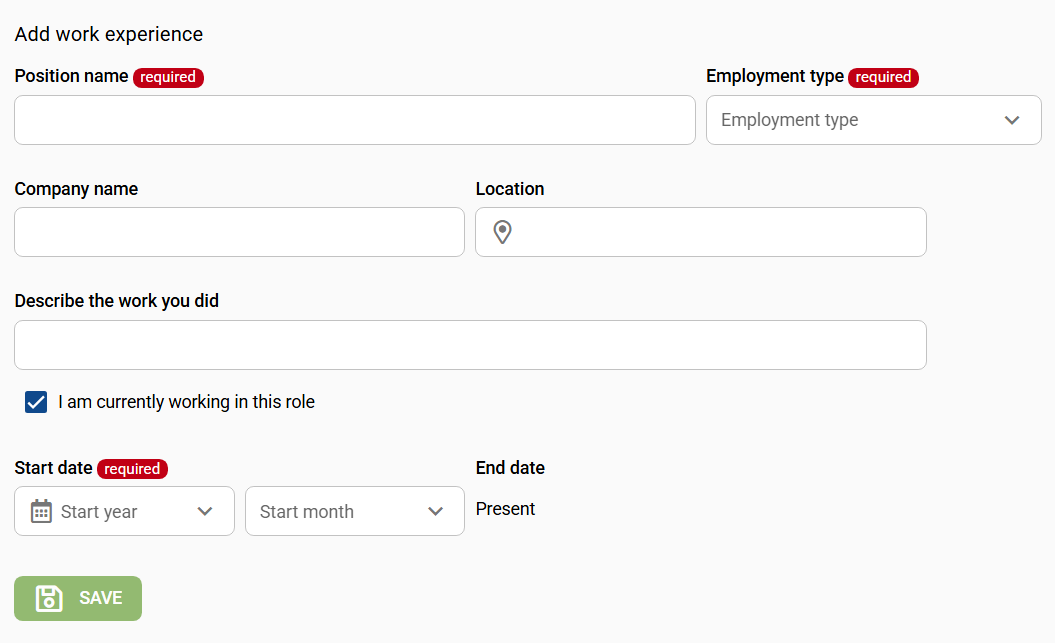
4. Select SAVE to confirm the data you have entered.
Czy ten artykuł był pomocny?
To wspaniale!
Dziękujemy za opinię
Przepraszamy, że nie udało nam się pomóc!
Dziękujemy za opinię
Wysłano opinię
Doceniamy Twój wysiłek i postaramy się naprawić artykuł