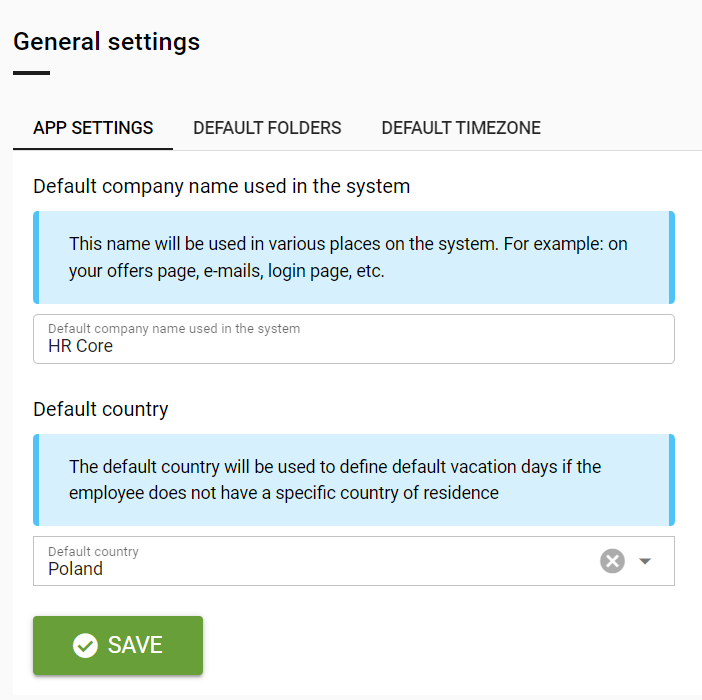
- Where in the GENERAL SETTINGS module can you set the default company name and default country used in the system?
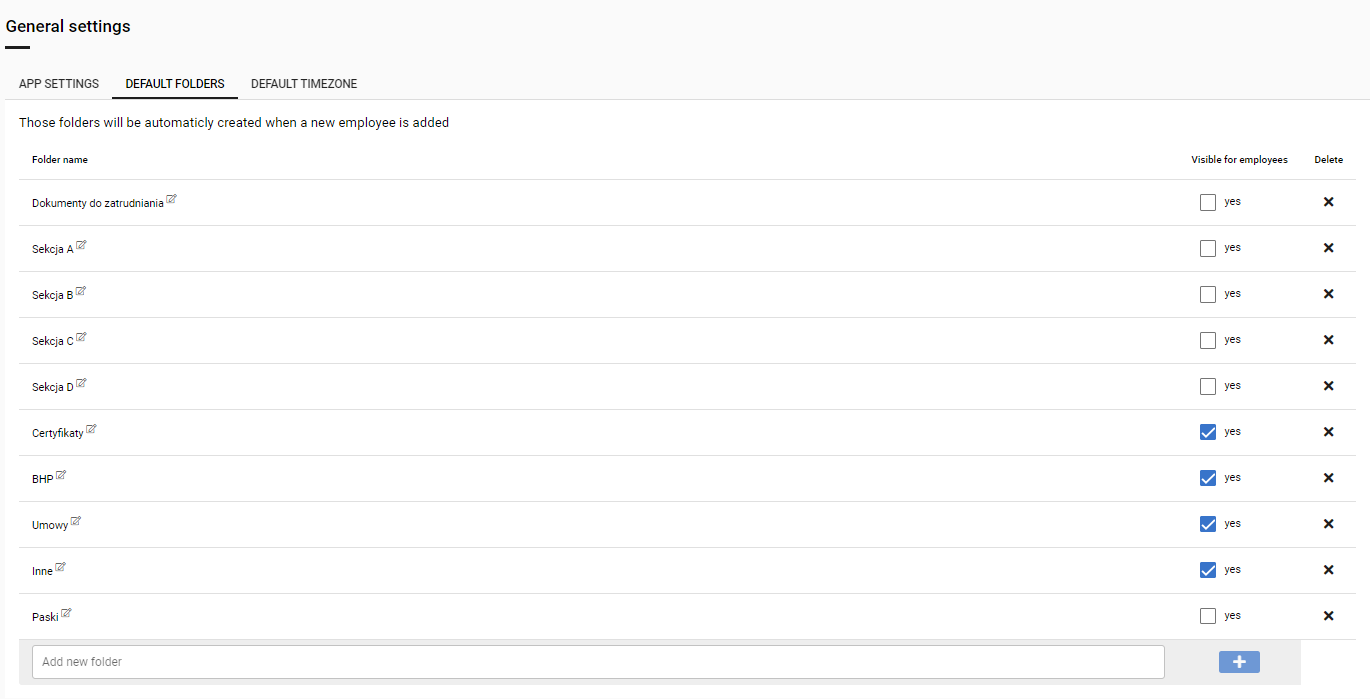
- How can you manage the visibility of folders in employees’ e-folders in the DEFAULT FOLDERS tab?
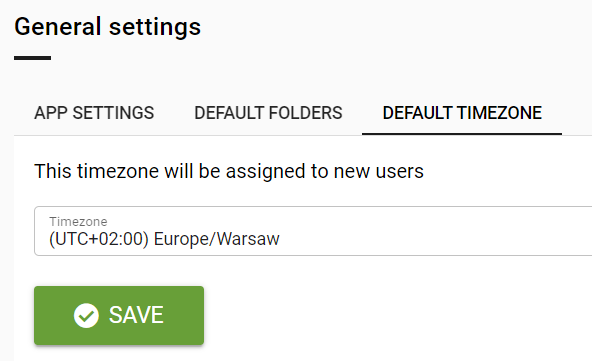
- How can you change DEFAULT TIME ZONE tab for new employees?
- How can you change default system language?
Go to the system settings by selecting the settings icon visible at the top right of the screen.
In the GENERAL SETTINGS module under APP SETTINGS, you can set the default company name used in the system and the default country.
Under the DEFAULT FOLDERS tab, you can add and delete folders and set their visibility in employees' e-folders.
In the DEFAULT TIME ZONE tab, you can change the zone that will be displayed to new employees.
Czy ten artykuł był pomocny?
To wspaniale!
Dziękujemy za opinię
Przepraszamy, że nie udało nam się pomóc!
Dziękujemy za opinię
Wysłano opinię
Doceniamy Twój wysiłek i postaramy się naprawić artykuł