How do I add an event to the calendar?
*Event is not an absence. To add an absence go to article 'Adding an absence'
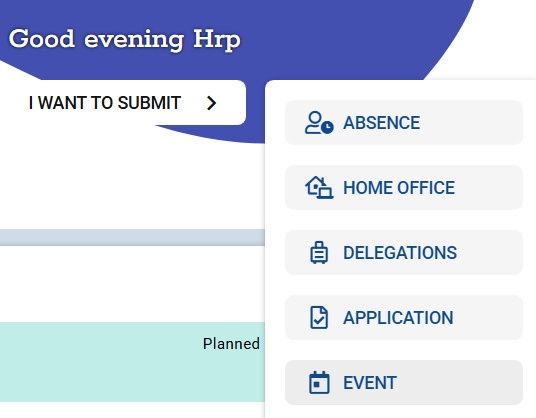
1. Go to the Desktop and click on I want to submit > EVENT.
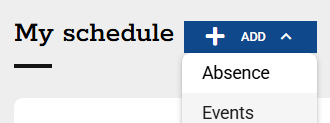
You can also add an event in the MY SCHEDULE module.
2. Complete the details of the event:
-title,
-type,
-location (you can also book a room previously defined in the booking module of the system),
-date and time.
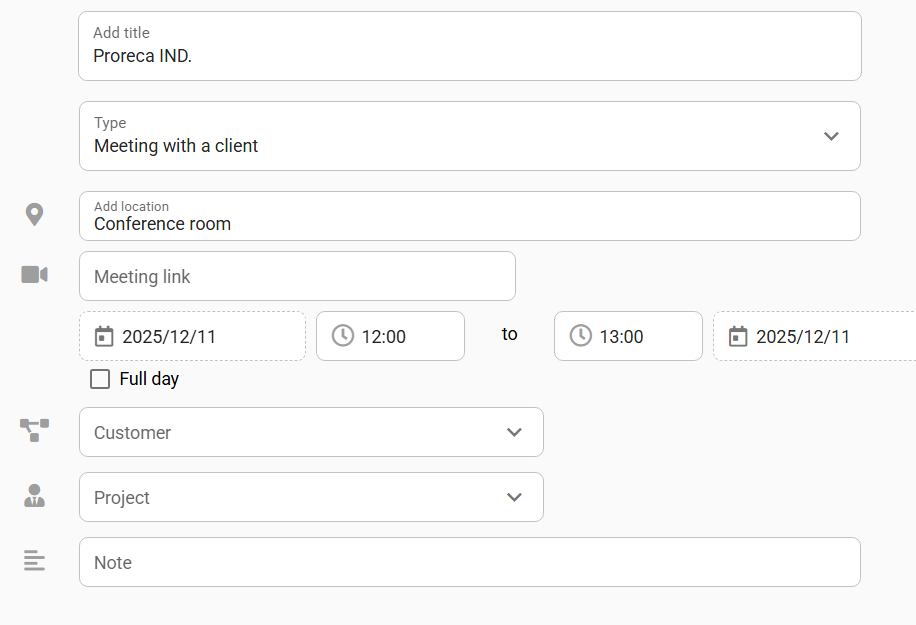
3. Select from the list:
-participants in the event,
-Customer,
-Project,
You can also add a note and attach files.
4. Confirm the data you have entered by clicking on ADD.

The event created will be sent to the supervisor for approval.
Czy ten artykuł był pomocny?
To wspaniale!
Dziękujemy za opinię
Przepraszamy, że nie udało nam się pomóc!
Dziękujemy za opinię
Wysłano opinię
Doceniamy Twój wysiłek i postaramy się naprawić artykuł